DynamicsOps AI Solution Architect
Describe your sector, company structure and goals; the AI Solution Architect maps your needs to DynamicsOps products and Dynamics 365 and prepares a sector report with an architecture diagram, integration and data flow, department impact and a five-phase roadmap. Review the screens of each recommended product from inside the report and turn it directly into a quote request in the customer portal. The solution analysis is free of charge.
Product screens
Sector-first analysis and report
Representative Sector-first analysis and report screen on DynamicsOps AI Solution Architect
Representative DynamicsOps product screen with fictional sample data; not an official Microsoft screenshot.
Analysis for your sector
Sample sector reports
Every recommendation links to its product page and DynamicsOps screens. Create the same report for your own company free of charge.
Sector-specific solution
DynamicsOps solution architecture for Food & Beverage
Lot and expiry traceability, recipe-based production and cold-chain dispatch are managed in one data model.
Need → Solution
- Product page
Finance, inventory and purchasing
Dynamics 365 Business CentralBusiness applicationFinance, inventory, lot tracking and purchasing are set up in one system with the food-sector template.
- 1Sector template
- 2Lot & expiry set-up
- 3TR localization
- 4Go-live
Production and line tracking
DynamicsOps Production Shop FloorBusiness applicationProduction orders reach line tablets; scrap, downtime and output are posted to the ERP in real time.
- 1Order to tablet
- 2Machine data
- 3Scrap & downtime
- 4Output to ERP
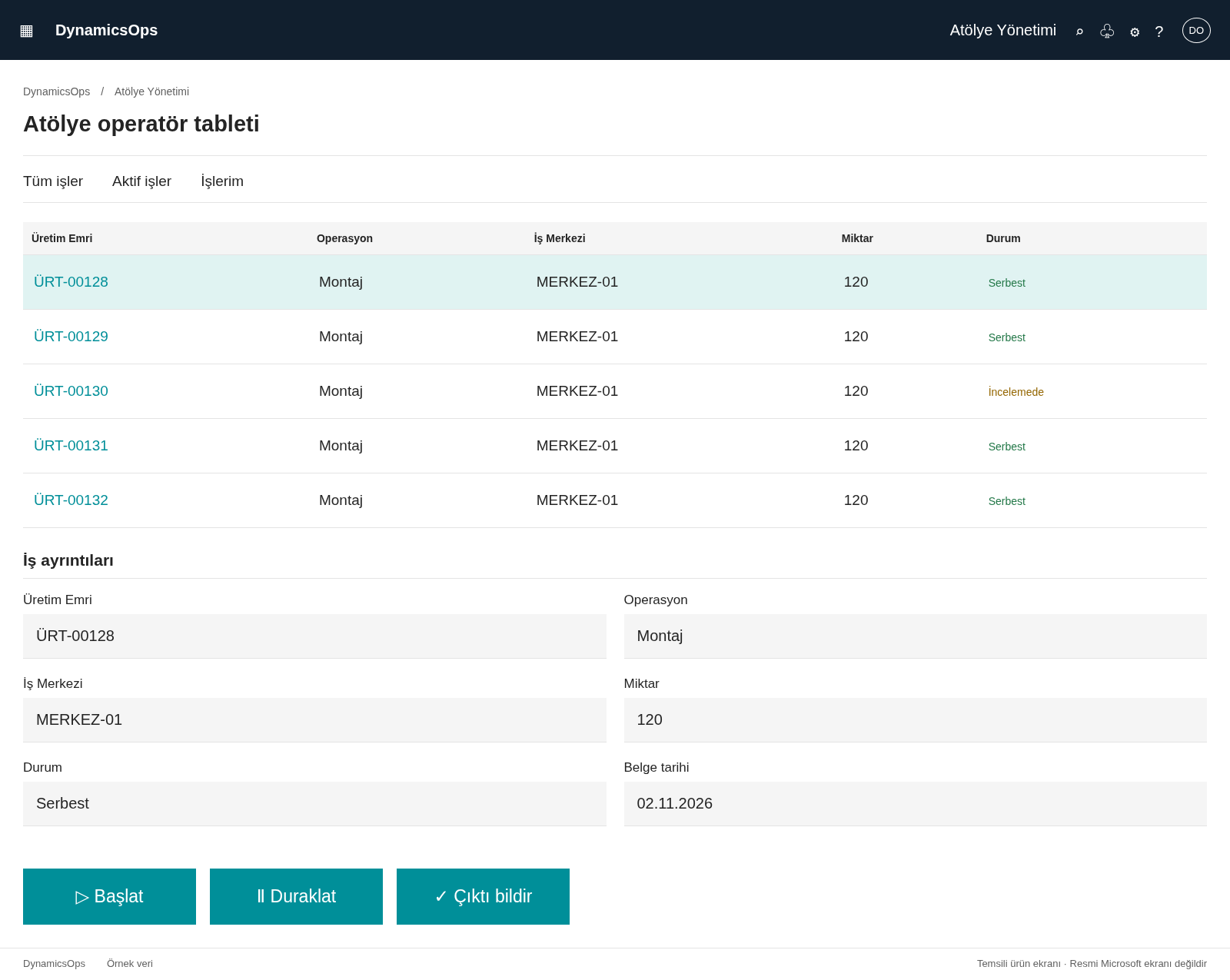 Product page · 3 screens
Warehouse and FEFO dispatch
DynamicsOps WMSBusiness applicationHandheld receiving, FEFO picking and cold-chain dispatch documents.
- 1Receiving
- 2Put-away
- 3FEFO picking
- 4Dispatch
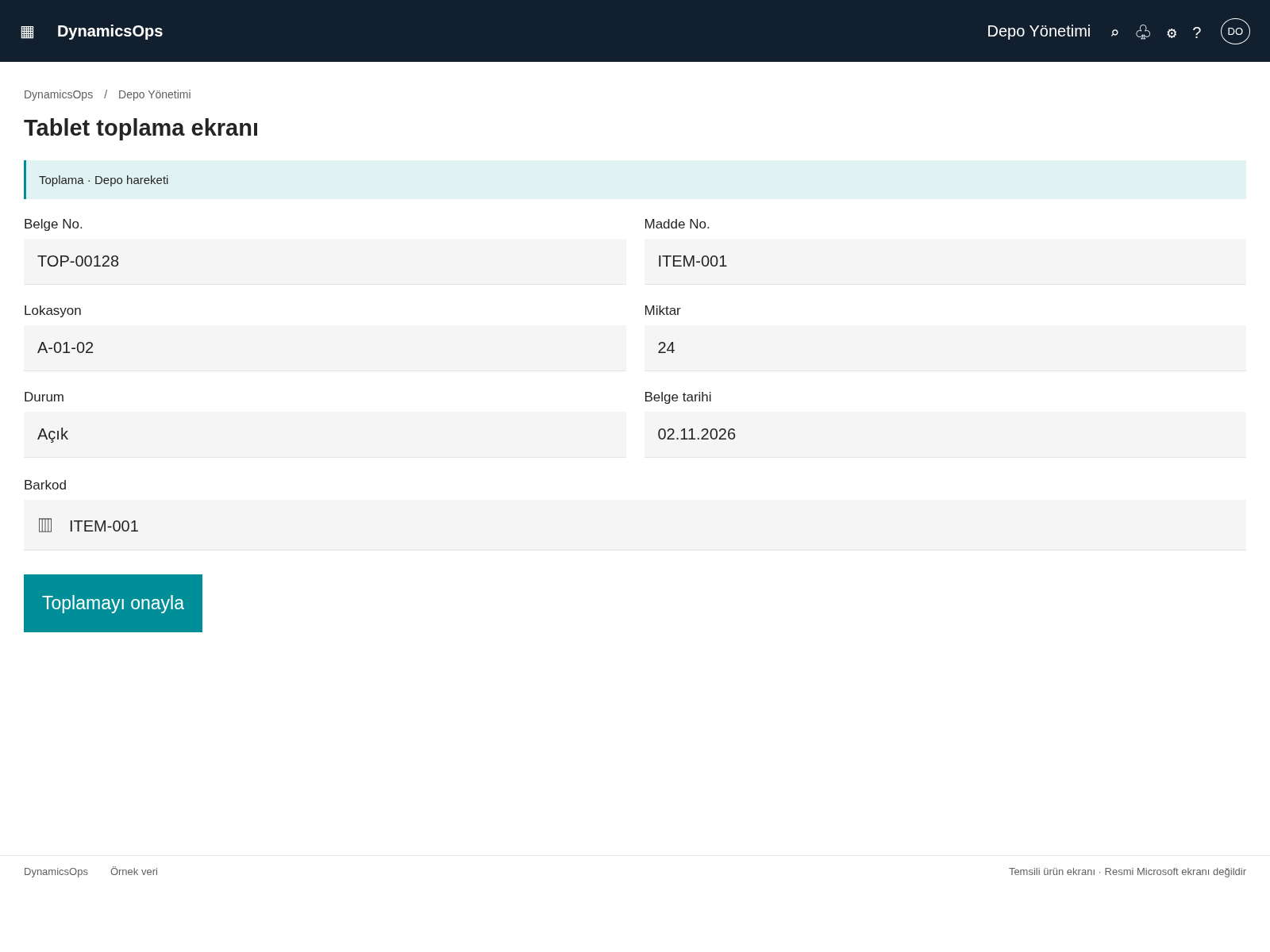 Product page · 4 screens
e-Invoice and e-Waybill
DynamicsOps TR e-TransformationBusiness applicationShipments and invoices are sent as e-Waybills and e-Invoices from ERP documents.
- 1ERP document
- 2Bulk sending
- 3Status tracking
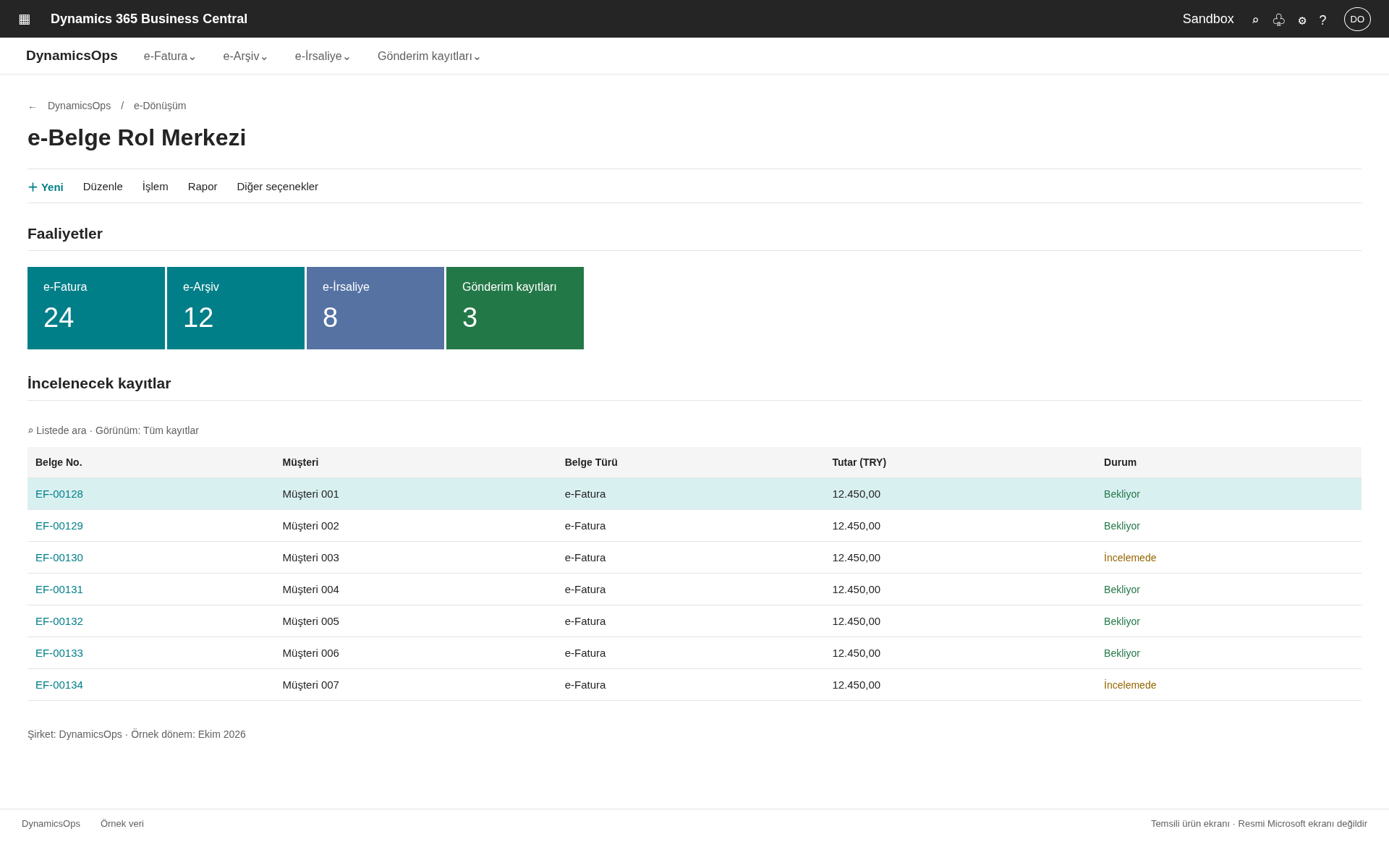 Product page · 5 screens
Variance and scrap alerts
DynamicsOps AI Insights & NotificationsAI productScrap rate, expiry risk and cost variances are notified to the responsible role.
- 1Data monitoring
- 2Anomaly
- 3Notification
- 4Action
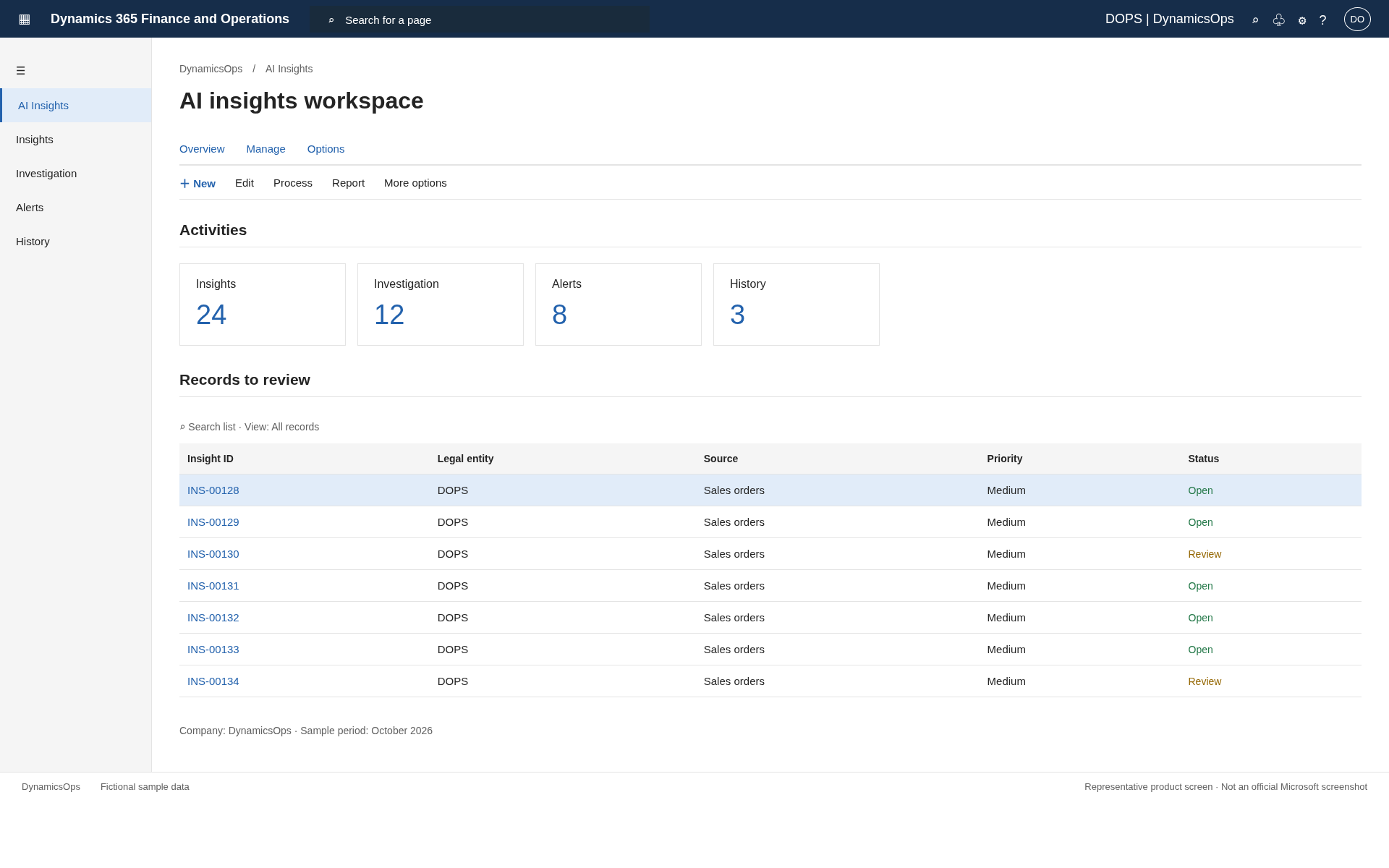 Product page · 3 screens
What the product does
Sector-First Analysis
Dedicated question packs for 26 sectors and sub-segments; any sector not on the list is accepted too.
Need → Product Fit
Every need is mapped to a DynamicsOps product and that product's real workflow.
Architecture Diagram
Channels, AI, sector applications, core ERP/CRM and integration layers are drawn automatically.
Integration & Data Flow
Lists which data flows from which system to where, how often and how.
Product Screens Inside the Report
Each recommended product's DynamicsOps screen and product page open from the report in one click.
Turns into a Portal Quote
Recommendations and your selected screens transfer into a quote request in the customer portal.
Who is it for, and where?
Companies Selecting an ERP
Business Central or Finance & SCM, with which sector products — decide with a concrete architecture.
Companies Replacing Their System
Data migration, integration and phase plan are visible from the start when replacing a current system.
Teams Planning AI Investment
See in advance what AI products and agents change in each department.
Measured outcomes
Securely connected to your enterprise systems
DynamicsOps AI Solution Architect connects Dynamics 365, Dataverse, SharePoint, Teams and legacy ERP systems through an LLM-agnostic architecture. Identity, data, agent actions and audit are governed in one secure framework.
Dynamics 365 F&SCM / BC
Certified OData / Custom Service APIs, Dataverse Virtual Tables and dual-write for master-data and transaction sync.
Dataverse & Common Data Model
Shared data layer with Power Apps, Copilot Studio and model-driven apps through the Common Data Model.
Power Automate & Azure Logic Apps
Ready-made connector for approval flows, event triggers and end-to-end cross-system workflow automation.
Power BI & Fabric
Ready semantic models and dashboards; lakehouse and real-time analytics via Microsoft Fabric.
Power Apps & Copilot Studio
Extend with domain-specific canvas / model-driven apps and topic-focused copilots.
Azure Integration Services
Third-party integration through API Management, Service Bus, Event Grid and Azure Functions.
- Microsoft Entra ID (Azure AD) SSO and SCIM provisioning
- Multi-factor authentication and conditional access policies
- Role-based access control (RBAC), least-privilege by design
- Detailed audit trails and session logs
- TLS 1.2+ in transit, AES-256 encryption at rest
- Azure region choice; Türkiye/EU data residency options
- KVKK and GDPR-compliant processes; ISO 27001-aligned operations
- Backup, disaster recovery (RPO/RTO SLA) and version history
Would you like to see DynamicsOps AI Solution Architect in a live demo?
Let's schedule a 45-minute discovery call tailored to your team's processes.
Schedule a Call